
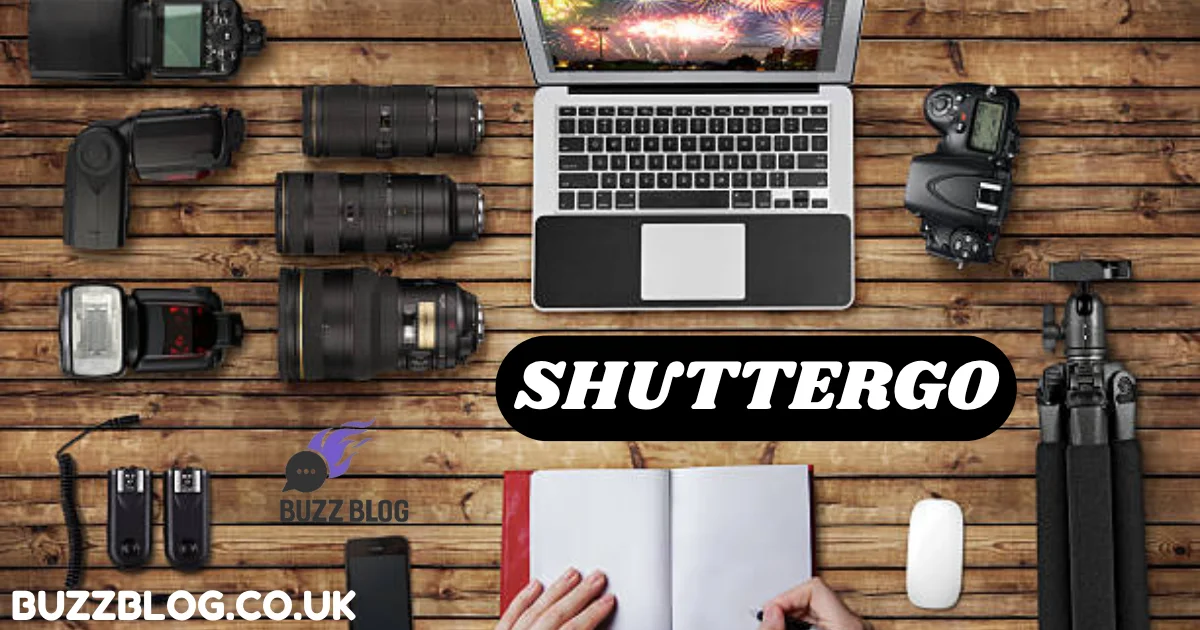
If photography feels exciting but also a little overwhelming, you are not imagining it. Between learning exposure, organizing shoots, editing images, and building a portfolio, many beginners feel like they need four different brains and ten different apps. That’s exactly why Shuttergo has started gaining attention among new photographers. It positions itself less like a single-feature app and more like a practical workflow companion for people trying to move from “I like taking pictures” to “I actually know what I’m doing.”
Recent photography workflow trends in 2026 show that photographers increasingly prefer tools that combine planning, learning, organization, and faster post-production rather than relying on disconnected apps. AI-assisted editing tools can cut editing time by roughly 50% to 80%, and cloud-first workflow systems are becoming standard for modern creators. That context matters, because Shuttergo fits into exactly that movement: simplifying the messy middle between shooting and improving.
Before jumping into the full guide, here’s the structured outline.
What Is Shuttergo and Why Photographers Are Talking About It
Let’s be honest: most aspiring photographers don’t fail because they lack talent. They stall because photography can feel like trying to juggle fire while riding a bicycle. One day you’re learning aperture, the next day you’re trying to understand shutter speed, then suddenly you’re drowning in folders named “final_final_reallyfinal.” That’s the gap Shuttergo aims to fill.
At its core, Shuttergo is best understood as a workflow-oriented photography support tool designed to help beginners and growing creators plan shoots, understand settings, organize ideas, and improve faster. Instead of focusing only on editing or only on camera theory, it tries to connect the dots between inspiration, execution, and learning.
That matters more in 2026 than ever before. Modern photography has become less about simply owning a good camera and more about managing an efficient process. Industry reporting this year shows that photographers increasingly depend on connected workflows—cloud organization, AI-assisted edits, faster culling, and better project management. Adobe Lightroom remains dominant, but workflow-centric platforms and AI assistants are shaping how photographers work every day.
Why are photographers talking about Shuttergo? Because beginners need guidance more than complexity. A camera can capture light, but a workflow captures progress. That’s the real promise here. For aspiring photographers, Shuttergo can feel a bit like having a smart notebook, a quiet coach, and a pre-shoot checklist all rolled into one.
Core Features That Make Shuttergo Stand Out
When people hear “photography tool,” they often assume it means filters, presets, or another editing app. Shuttergo feels different because its real strength is helping photographers think before they shoot—and learn after they shoot.
One of its most practical strengths is shoot planning and creative organization. Instead of jumping into a location and hoping something good happens, users can structure shot ideas, themes, angles, lighting conditions, and creative notes in advance. That may sound simple, but it changes everything. Great photography often happens long before the shutter clicks. The planning stage is where photographers stop reacting and start creating intentionally.
Another standout element is learning assistance for camera settings. Beginners often struggle with the relationship between ISO, aperture, and shutter speed. That learning curve can feel brutal. Here, Shuttergo becomes useful because it helps connect settings with shooting scenarios. Think of it like learning to cook. A recipe is useful—but understanding why heat, timing, and ingredients matter is what turns you into a real cook.
The third major advantage is editing workflow support. Current photography trends show that editing often consumes more time than shooting. According to 2026 workflow reports, photographers increasingly adopt AI-assisted tools to reduce repetitive editing and culling work. Some workflows reduce editing time by 50% to 80%. While Shuttergo is not necessarily a full editing suite, it helps create structure around reviewing, sorting, and improving images after capture.
That combination—planning, learning, and reviewing—is what makes the platform attractive. It doesn’t just help you make photos. It helps you become a better photographer.
How Shuttergo Helps Beginners Learn Faster
Every beginner photographer has experienced the same painful moment. You take a photo that looked incredible in your head, then you check the screen and it looks flat, dark, blurry, or strangely lifeless. That gap between vision and result can be frustrating enough to make people quit.
Shuttergo helps reduce that frustration because it turns photography into a repeatable learning process instead of random guesswork.
Think about how most beginners usually learn. They watch a video, copy a setting, try something outside, and hope it works. That’s not learning—that’s gambling. Shuttergo encourages a more deliberate approach. When you plan a shoot, record the conditions, note the settings, and review the outcomes afterward, patterns start to emerge. Suddenly you realize, “Ah, that blurry shot happened because my shutter speed was too slow,” or “That harsh portrait happened because I ignored the light direction.”
That’s huge.
Photography education in 2026 increasingly emphasizes workflow literacy over pure technical memorization. Even professional guides now stress structured shooting, organized review sessions, and intentional iteration as the fastest way to improve.
There’s also a psychological benefit here. Improvement becomes visible. And visible progress is addictive in the best possible way.
A beginner with a modest camera but strong habits will almost always outperform someone with expensive gear and chaotic habits. That sounds harsh, but it’s true. Cameras don’t create consistency—systems do.
That’s why Shuttergo matters. It shortens the distance between “I took this by accident” and “I knew exactly how to create this.”
The Modern Photographer’s Workflow in 2026
Photography in 2026 is fast.
Not just in shutter speeds—fast in expectations. Clients expect quick turnaround. Social platforms reward consistency. Audiences scroll past good photos in a heartbeat unless something truly stops them.
This environment has changed what photographers need.
A decade ago, people obsessed over camera bodies. Today, smart photographers obsess over workflow. The real question is no longer “What camera do you use?” but “How fast can you go from idea to polished image?”
Recent photography trend reports show a few major realities shaping creators this year:
| Photography Trend (2026) | Why It Matters |
|---|---|
| AI-assisted editing | Cuts repetitive editing time dramatically |
| Cloud-first workflows | Allows access across devices and locations |
| Faster image culling | Saves hours on large shoots |
| Authentic storytelling | Often beats overly polished perfection |
| Mobile-first publishing | Demands quicker turnaround times |
Sources across the photography industry consistently show that AI, workflow efficiency, and organized post-production are now core competitive advantages.
This is where Shuttergo fits naturally.
It does not replace creative vision. It sharpens the path between vision and execution.
And here’s the interesting part: workflow often matters more than equipment. A photographer with a mid-range camera, clear shot planning, organized notes, and consistent review habits can produce better results than someone holding a premium body with no structure.
That sounds backward, but it’s the truth. Gear opens doors. Workflow decides whether you walk through them.
A Step-by-Step Guide to Using Shuttergo
Setting Up Your First Project
The smartest way to start with Shuttergo is by treating your first project like a small experiment, not a masterpiece.
Pick something manageable. A street corner at golden hour. A portrait session with a friend. A local park after rain. The idea is not to chase perfection but to build process.
Start by defining the purpose of the shoot. What are you trying to capture? Mood? Motion? Texture? Emotion? When you know the goal, everything else becomes easier. A vague shoot usually creates vague results.
Organizing Locations and Shot Ideas
Inside your project planning stage, create simple notes:
- Lighting conditions
- Best shooting time
- Angle ideas
- Lens preferences
- Mood references
- Backup shot concepts
That sounds basic, but it changes how you enter a shoot. You stop wandering. You start observing.
The difference is subtle but powerful. It’s like walking into a grocery store with a recipe versus walking in hungry and confused.
Planning Exposure and Shooting Settings
This is where beginners usually panic.
They know ISO, aperture, and shutter speed matter—but in the field, it all feels abstract. The fastest way to understand exposure is to connect it to the image outcome.
Exposure≈f(ISO, aperture, shutter speed)
Before your shoot, use Shuttergo to think through likely conditions.
If you are shooting portraits at sunset, you may want:
- A wider aperture for softer backgrounds
- A fast enough shutter speed to avoid motion blur
- The lowest practical ISO to preserve image quality
Building Confidence Before Pressing the Shutter
This is the hidden power of preparation.
Instead of arriving and guessing, you arrive with a framework. You already know what kind of light you expect. You already know your likely settings range. That lowers stress and raises creative freedom.
A nervous photographer stares at buttons. A prepared photographer watches light.
That single shift can completely change your images.
Reviewing and Improving Your Images
This is where growth happens.
Many beginners make one big mistake: they shoot, export, post, and move on. But the best photographers study their own results.
After the shoot, review images carefully.
Ask yourself:
- Which images worked?
- Which ones failed?
- What settings caused the result?
- What light conditions helped?
- What would you change next time?
This reflection stage is where Shuttergo becomes more than a planning app. It becomes a learning archive.
Over time, you build your own creative memory bank. That’s powerful because photography is not just about seeing—it’s about remembering what worked before.
Shuttergo Compared with Other Photography Tools
Many aspiring photographers wonder whether they should use Shuttergo, Adobe Lightroom, Capture One, or something else.
That comparison misses the point a little.
Shuttergo is less of a pure editing platform and more of a structured photography growth tool.
| Tool | Primary Strength | Best For |
|---|---|---|
| Shuttergo | Planning, learning, workflow organization | Beginners and aspiring photographers |
| Adobe Lightroom | Editing, cataloging, industry-standard workflow | General photographers and professionals |
| Capture One | Advanced color control and tethering | Commercial and studio shooters |
| Affinity Photo 2 | Budget-friendly advanced editing | Cost-conscious creators |
Current 2026 software comparisons still place Adobe Lightroom as the most widely used editing platform, while Capture One remains favored for precision color work.
Think of it this way.
If Lightroom is the darkroom, Shuttergo is the field notebook.
And field notebooks often make better photographers.
Who Should Use Shuttergo
Not every photography tool fits every photographer. But Shuttergo feels especially useful for a very specific group of people.
If you are someone who:
- Loves photography but feels inconsistent
- Understands basic camera settings but struggles to apply them
- Wants to improve faster without drowning in complexity
- Needs structure more than fancy editing tricks
…then Shuttergo makes a lot of sense.
It is especially valuable for hobbyists trying to become serious creators. Social media creators can also benefit because consistent content creation depends heavily on repeatable workflows. Even aspiring professionals can use it as a foundation before moving into more advanced software ecosystems.
A surprising truth about photography is that the biggest leap usually happens before you buy your next lens.
It happens when you start seeing patterns.
That’s what Shuttergo helps you do.
Final Verdict on Shuttergo
So, is Shuttergo the ultimate tool for aspiring photographers?
For many beginners—yes.
Not because it magically makes photos better. Not because it replaces technical knowledge. And not because it can do everything.
It matters because it teaches process.
That’s rare.
Most photography tools help you edit. Some help you shoot. Very few help you learn how to improve consistently.
That is the real advantage.
And in a photography world moving faster every year, consistency is not just useful—it is a competitive edge.
Conclusion
Photography can feel complicated at first because it is really three skills hiding inside one craft. You have to learn how to see, how to shoot, and how to improve. Most beginners focus only on the middle part. They press the shutter, hope for magic, and wonder why progress feels slow.
Shuttergo helps connect all three.
It gives aspiring photographers a framework for planning, experimenting, reviewing, and gradually building instinct. That matters far more than many people realize. The best photographers are not always the most naturally gifted. Often, they are simply the ones who built smarter habits early.
If you want a simple way to turn scattered practice into deliberate growth, Shuttergo can become more than just another app.
It can become the bridge between beginner confusion and creative confidence.