
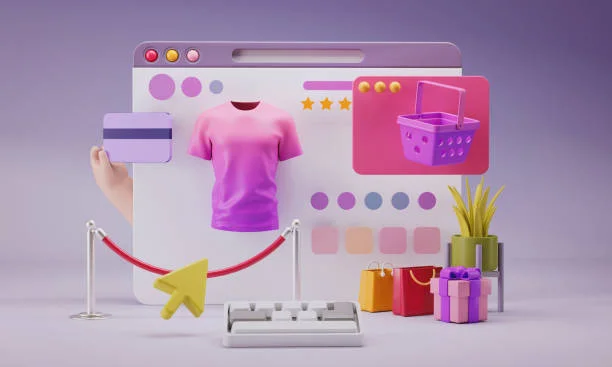
In e-commerce, the first impression can be the difference between a bounce and a sale. High-quality product mockups help shoppers visualize ownership—seeing a product in context drives confidence and conversions for E-Commerce Mockups. But many store owners struggle to create photorealistic visuals without hiring a full design team. Fortunately, a new generation of online mockup tools makes it easy to design professional-grade visuals that look ready for a glossy catalog. These tools combine automation, AI, and smart templates so you can design stunning, consistent product images—without learning Photoshop.
Placeit: The All-in-One Mockup Powerhouse
Why it stands out: Placeit by Envato is the most versatile mockup or E-Commerce Mockups generator for e-commerce stores. Its interface is built for speed—simply upload your design, choose a product category, and generate realistic visuals instantly.
Features:
- Thousands of ready-to-use lifestyle and studio templates
- Realistic mockups for apparel, packaging, and digital products
- Built-in video mockups and logo templates
- Cloud-based access—no software required
Pro Tip: When uploading branded designs, use Placeit’s “Transparent Background” filter to ensure logos blend naturally with any environment.
Best for: Apparel brands, tech accessory sellers, and digital creators who need consistent mockups across platforms.
Smartmockups: Instant Integration
Why it stands out: Smartmockups focuses on frictionless workflow. It integrates seamlessly with tools many designers already use—like Figma and Dropbox—allowing direct import and live updates of design files.
Features:
- Over 8,000 high-resolution templates
- Automated cropping and resizing for multiple product views
- Browser-based rendering (no downloads needed)
- Realistic light and shadow blending for ultra-realistic effects
Pro Tip: Use the “Custom Mockup” feature to upload your own product photos and maintain brand consistency across product lines.
Best for: Multi-platform sellers and design teams managing high product variety.
Mediamodifier: Fast Mockups with Dynamic Templates
Why it stands out: Mediamodifier specializes in dynamic mockups that can automatically adapt to multiple device sizes or packaging shapes of E-Commerce Mockups—perfect for businesses selling both digital and physical products.
Features:
- Device mockups for web and app previews
- Print and packaging mockups for bottles, boxes, and labels
- Drag-and-drop simplicity
- Bulk export for marketing assets
Pro Tip: Combine Mediamodifier’s “Realistic Shadow Layer” with your own background images for a personalized brand aesthetic.
Best for: SaaS, digital course sellers, and CPG (consumer packaged goods) brands.
Mockuuups Studio: Professional Mockups for Teams
Why it stands out: Mockuuups Studio is designed for collaboration for E-Commerce Mockups. It’s a downloadable desktop app that syncs with cloud drives and supports drag-and-drop functionality.
Features:
- 2,000+ ready-made mockups and automatic device scaling
- Works with Sketch, Adobe XD, and Figma
- Bulk creation of mockups for campaigns or product launches
- Local processing for enhanced privacy
Pro Tip: Enable “Dynamic Scaling” to automatically resize design assets for different screen dimensions—ideal for responsive site previews.
Best for: Design-led e-commerce teams producing high volumes of promotional visuals.
Renderforest: AI-Powered Mockups and Brand Kits
Why it stands out: Renderforest uses AI-driven templates to create mockups, videos, and logos under one roof. It’s especially useful for startups needing unified branding across touchpoints.
Features:
- AI logo generator and animated mockups
- Smart resizing for product pages, ads, and print materials
- Cloud-based editing and export to Shopify or Etsy stores
- Integration with brand color and typography kits
Pro Tip: Use Renderforest’s “Mockup + Video” hybrid templates to create dynamic product demos that double as ad creatives.
Best for: Startups or small teams that want to streamline design at E-Commerce Mockups, branding, and promotion in one platform.
Artboard Studio: Realistic 3D E-Commerce Mockups
Why it stands out: Artboard Studio is ideal for those who want full creative control. It combines mockup generation with 3D design tools, giving brands the ability to visualize products from any angle.
Features:
- 3D layer-based design environment
- Smart lighting, material, and texture controls
- Export-ready visuals for e-commerce stores and ads
- Collaboration support for brand teams
Pro Tip: Use the “Custom Scene” editor to place your product in lifestyle environments—perfect for social media storytelling.
Best for: Advanced e-commerce sellers and creative agencies producing high-fidelity visuals.
FAQ: Everything You Need to Know About Mockup Tools for E-Commerce
Before you dive into any of the tools above, it’s helpful to understand how to select and optimize mockups for your store. Here are five frequently asked questions e-commerce teams often ask.
1. What makes a mockup tool ideal for online stores?
A great mockup tool should balance realism with efficiency. It should allow you to preview products in real-world scenarios—like mugs on tables or t-shirts on models—without requiring advanced design skills. The best options include batch export, automatic scaling, and background customization for platform-agnostic publishing.
2. How can mockups improve conversion rates?
Visuals that show products in context reduce purchase hesitation. When customers see how an item fits into their life—whether it’s a phone case on a real device or a coffee mug on a kitchen counter—they develop emotional attachment faster, leading to higher click-through and conversion rates.
3. What file formats are most compatible with these tools?
Most platforms accept JPEG, PNG, and SVG formats. Tools like Adobe Express also support layered PSD files and custom templates for unique merchandise creation, including mug design and other branded product visuals. Smartmockups and Renderforest provide similar flexibility for quick exports across different product types.
4. Are there free mockup tools for beginners?
Yes. Adobe Express, Smartmockups (free tier), and Renderforest offer free versions with limited templates. These are perfect for small sellers or early-stage startups looking to test product visuals before committing to a premium plan.
5. What’s the best workflow for consistent branding across mockups?
Start with a unified design system—consistent color palette, logo placement, and typography. Tools like Adobe Express or Placeit allow you to save brand kits so every new mockup follows the same visual logic. This consistency strengthens brand recall and improves synthesis across your e-commerce platforms.
In today’s visual-first marketplace, e-commerce success is increasingly tied to how real your products look online. Great mockups are not just images—they’re storytelling devices that connect emotion with function for E-Commerce Mockups. By using these seven tools, you’ll save design time, improve visual consistency, and present your products with the polish of a global brand.
Each of these platforms helps your brand leap from idea to visualization—fast, frictionless, and on budget. The result? More credible listings, higher engagement, and ultimately, more confident buyers who see exactly what they’re getting before they click “Add to Cart.”