
Screens are everywhere.
Phones.
TVs.
Projectors.
LED walls.
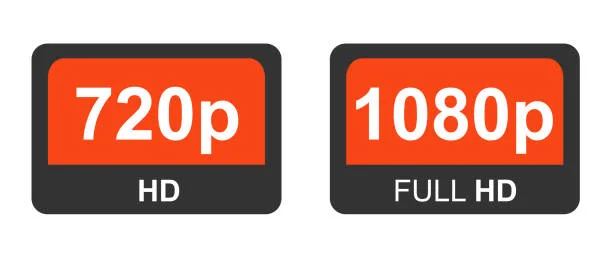
People see resolution numbers daily and still wonder what is 720p vs 1080p. The confusion makes sense. Both formats look “HD” to most viewers. Both still exist in modern workflows. Yet the difference matters more than people realize. This guide explains exactly what separates 720p from 1080p, when each format works, and how the choice impacts clarity, cost, and performance.
Resolution Means Pixel Count
Resolution defines image detail.
Pixels create the picture.
More pixels create more detail.
720p resolution equals:
- 1280 pixels wide
- 720 pixels tall
1080p resolution equals:
- 1920 pixels wide
- 1080 pixels tall
That difference adds up fast.
720p displays about 921,600 pixels.
1080p displays about 2,073,600 pixels.
1080p shows more than twice the detail.
Why the “p” Matters
The “p” stands for progressive scan.
Progressive scan draws the full image every frame.
It avoids flicker.
It improves motion clarity.
Both 720p and 1080p are progressive formats.
This makes them better than older interlaced formats.
Sharpness Is Not Subtle
Resolution affects readability.
Text edges.
Fine lines.
Small icons.
720p softens detail.
1080p preserves it.
Slides with charts suffer at 720p.
Spreadsheets suffer more.
Detail-heavy content demands 1080p.
Viewing Distance Changes Perception
Distance matters.
At long distances, resolution differences shrink.
At short distances, differences become obvious.
720p works when:
- Screens are small
- Viewers sit far back
1080p matters when:
- Screens are large
- Viewers sit close
Large screens magnify flaws.
Screen Size Exposes Weak Resolution
A 720p image on a small screen looks fine.
The same image on a large screen looks blurry.
1080p scales better.
For example:
- 720p struggles on screens above 60 inches
- 1080p holds clarity on much larger displays
Bigger screens demand higher resolution.
Motion Handling Differences
Resolution affects motion clarity indirectly.
Sports broadcasts often used 720p historically.
Why?
- Lower resolution allowed higher frame rates
- Faster motion felt smoother
Modern systems handle both well.
1080p no longer sacrifices motion quality.
Content Type Determines Resolution Needs
Not all content is equal.
720p works for:
- Talking-head video
- Simple graphics
- Distance viewing
1080p excels with:
- Text-heavy slides
- Data visualizations
- Product demos
- Fine detail
Content complexity drives resolution choice.
Bandwidth and File Size Matter
Higher resolution increases data size.
1080p files are larger.
They require more bandwidth.
This matters for:
- Streaming
- Video conferencing
- Remote presentations
720p reduces strain on weak connections.
Bandwidth constraints still influence resolution decisions.
Streaming Platforms Still Use Both
Many platforms adapt resolution dynamically.
They lower the resolution when the bandwidth drops.
720p remains common for:
- Webinars
- Virtual meetings
- Mobile streaming
1080p dominates:
- On-demand video
- Professional broadcasts
- Premium content
Adaptive streaming balances quality and stability.
Projectors Highlight Resolution Limits
Projectors expose resolution flaws quickly.
Large projected images magnify pixels.
720p projectors struggle with:
- Small text
- Detailed charts
- Close viewing
1080p projectors deliver sharper visuals.
Projection demands resolution headroom.
LED Walls Raise Expectations
LED walls push resolution standards higher.
Pixel pitch matters.
Viewing distance matters.
720p content on LED walls looks soft.
1080p content holds up better.
Large-format displays demand higher source resolution.
Scaling Can Only Do So Much
Displays upscale, lower resolution content.
Upscaling fills space.
It does not add detail.
720p scaled to 1080p stays soft.
Native resolution always looks best.
Scaling hides problems. It does not fix them.
Camera Capture Impacts Final Quality
Source resolution limits output quality.
A 720p camera cannot produce true 1080p detail.
Upconversion does not create information.
Professional workflows capture at 1080p or higher.
They downscale when needed.
Corporate AV Standards Favor 1080p
Corporate environments value clarity.
Slides.
Logos.
Data.
1080p became the baseline standard.
720p now feels dated in professional settings.
Perception matters in business communication.
Education Still Uses 720p Often
Schools prioritize reliability.
Lower bandwidth.
Older equipment.
720p remains common in classrooms.
Upgrades are happening slowly.
Budget constraints drive decisions.
Gaming Changed Expectations
Gaming pushed resolution awareness.
Players notice sharpness.
1080p became the minimum acceptable standard.
720p feels outdated in gaming environments.
Audience expectations evolved.
Marketing Content Demands Detail
Marketing visuals rely on polish.
Soft images reduce credibility.
1080p improves:
- Product clarity
- Brand perception
- Viewer trust
Resolution communicates quality.
Storage Costs Are No Longer a Barrier
Storage prices dropped.
1080p storage is affordable.
The old argument against higher resolution faded.
Quality now outweighs storage concerns.
Editing and Post-Production
Editing benefits from higher resolution.
1080p allows:
- Cropping without loss
- Cleaner text
- Better effects
720p limits flexibility.
Professionals prefer higher resolution sources.
Device Compatibility Is Nearly Universal
Modern devices support 1080p.
Phones.
Laptops.
TVs.
720p compatibility remains.
1080p compatibility dominates.
There is little downside to choosing 1080p today.
Cost Differences Shrunk
Hardware pricing changed.
1080p displays and cameras cost slightly more.
Sometimes they cost the same.
The value gap widened.
Better quality at minimal extra cost.
When 720p Still Makes Sense
720p is not useless.
It works when:
- Bandwidth is limited
- Screens are small
- Viewers sit far away
- Content is simple
Efficiency sometimes matters more than sharpness.
When 1080p Is Non-Negotiable
1080p is required when:
- Text readability matters
- Large screens are used
- Brand perception is critical
- Content includes fine detail
Professional environments demand clarity.
The Psychological Impact of Sharpness
Sharp visuals feel modern.
Soft visuals feel outdated.
Viewers associate clarity with competence.
Resolution affects trust subconsciously.
Common Resolution Mistakes
Mistakes repeat often.
Common issues include:
- Sending 720p slides to large screens
- Streaming 1080p over a weak internet
- Upscaling low-resolution content
- Ignoring the viewing distance
Planning prevents these problems.
Choosing the Right Resolution Starts Early
Resolution decisions should happen early.
During content creation.
During system design.
During platform selection.
Late decisions cause compromises.
Final Perspective
Resolution is not a spec to ignore.
It shapes clarity.
It shapes perception.
It shapes effectiveness.
Understanding what is 720p vs 1080p is helps teams make smarter choices, protect quality, and deliver better experiences.
720p still has a place.
1080p sets the standard.
Choose intentionally.